
The Prisoners’ Escort is the first story mission in Highway Police Simulator and works as the full tutorial. This walkthrough covers every step, from the drive to the prison bus to the crime scene photos, the accident sketch and the report.
How to Start The Prisoners’ Escort
Story Mission: The Prisoners’ Escort (first story mission and tutorial)
Before the mission starts, you pick your officer’s background. Police Family gives you better relationships with other officers, but criminals are warier of you. Street Kid helps you connect with criminals, but civilians are more suspicious of you.
Whichever background you choose, The Prisoners’ Escort starts right away.
1 – Late for Work: Reach the Prisoner Transport
Objective: Follow the route on the minimap to the prisoner transport
The mission starts in the car, with your partner telling you off for being late. The driving controls are simple, and you can remap them in the settings menu. Here are the default keyboard controls:
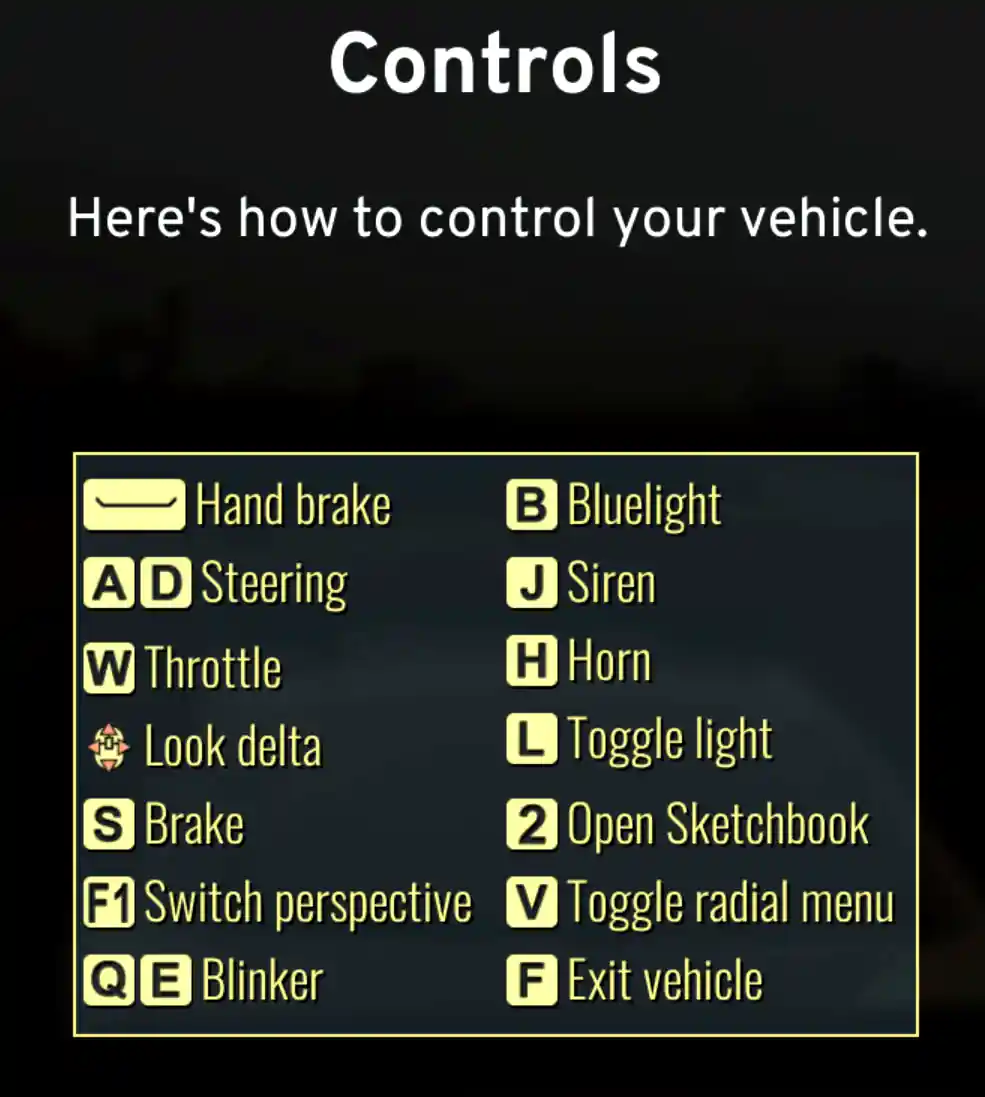
The route shows on the minimap in the bottom left corner. Follow it at your own pace. Crashing into other cars damages your vehicle, but the damage doesn’t affect the mission as long as you reach the endpoint. The GPS sometimes sends you on detours, and other drivers change lanes without warning, so keep some distance.
2 – Talk to Everyone at the Prison Bus
Location: The prison bus on the highway
When you arrive, the prisoners have already escaped from the transport. An ambulance is treating the injured, and it’s up to you to find out what happened. You need to speak to five people, all clearly highlighted:
Garry Ross, a fellow officer, offers you his car because yours is damaged.
Your partner, Nataly Cordero, is the next one to check on.
The paramedics by the ambulance, Lucia Gayoso and Colman Eddison, tell you everything is under control.
Yuusuf Ahmad from the crime lab asks you to take charge of the investigation.
3 – Investigate the Crime Scene
Location: In and around the prison bus
The crime scene investigation has four steps: investigate the scene, take photos of the accident, create an accident sketch and write the report on the PC in your car.
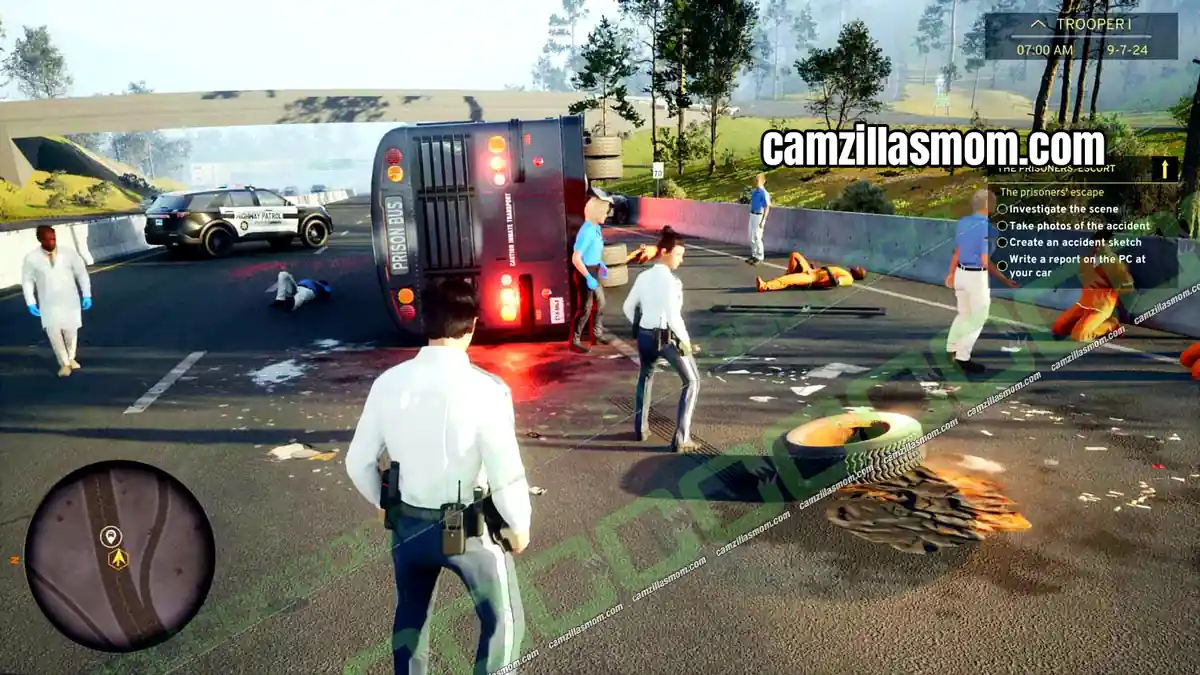
Walk around the bus and look for two clues. The first is a brown baseball bat on the ground next to the bus tires. Interact with it to inspect it from every angle. The only notable detail is the word “Nolan” printed on it. The second is a biker glove on the other side of the bus, near the injured man in the blue shirt.
Good Deed: Help the Injured Man
You can also do a good deed here, and it has consequences. The man in the blue shirt is lying on the ground near the prison bus. Interact with him, then tell paramedic Lucia Gayoso about his condition. Look out for more good deeds like this in later missions.
4 – Take Photos of the Accident
Location: The prison bus crime scene
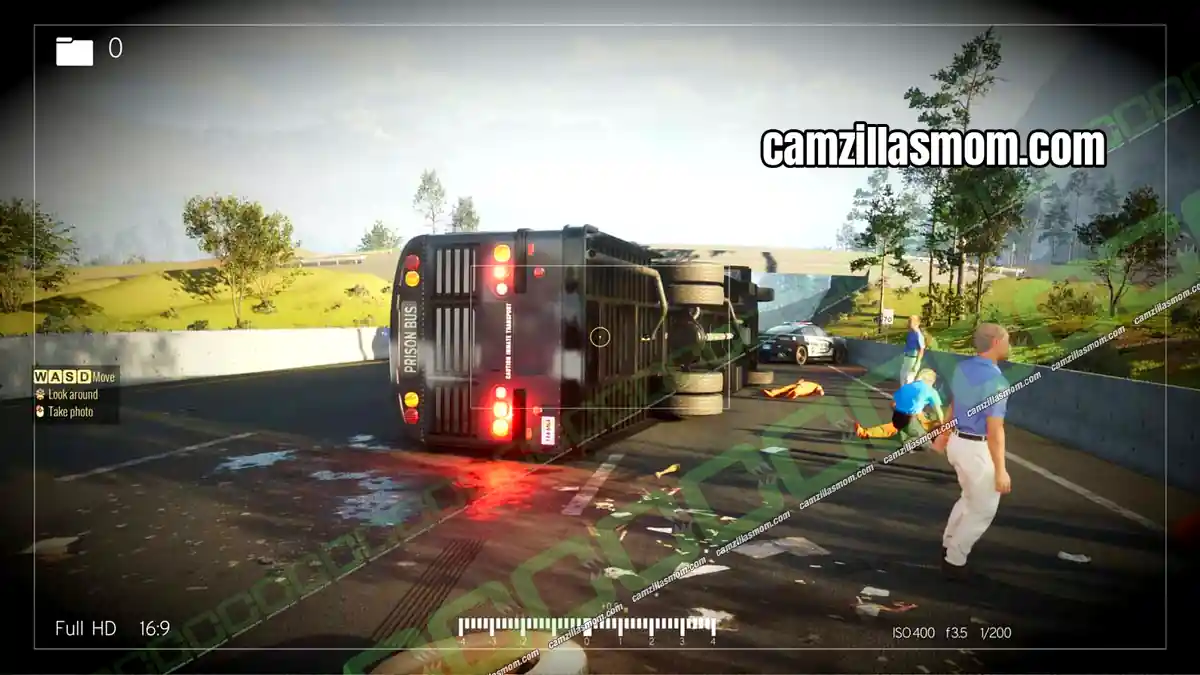
Next, take photos of the accident. Right-click to bring up the photo frame, as shown below.
5 – How to Create the Accident Sketch
Location: Police car to the left of the prison bus
To create the accident sketch, go to the police car to the left of the prison bus, marked with a car icon on the minimap. Interact with it to open the Rex Database System on the computer. Only two tabs are available for now: Sketch and Report.
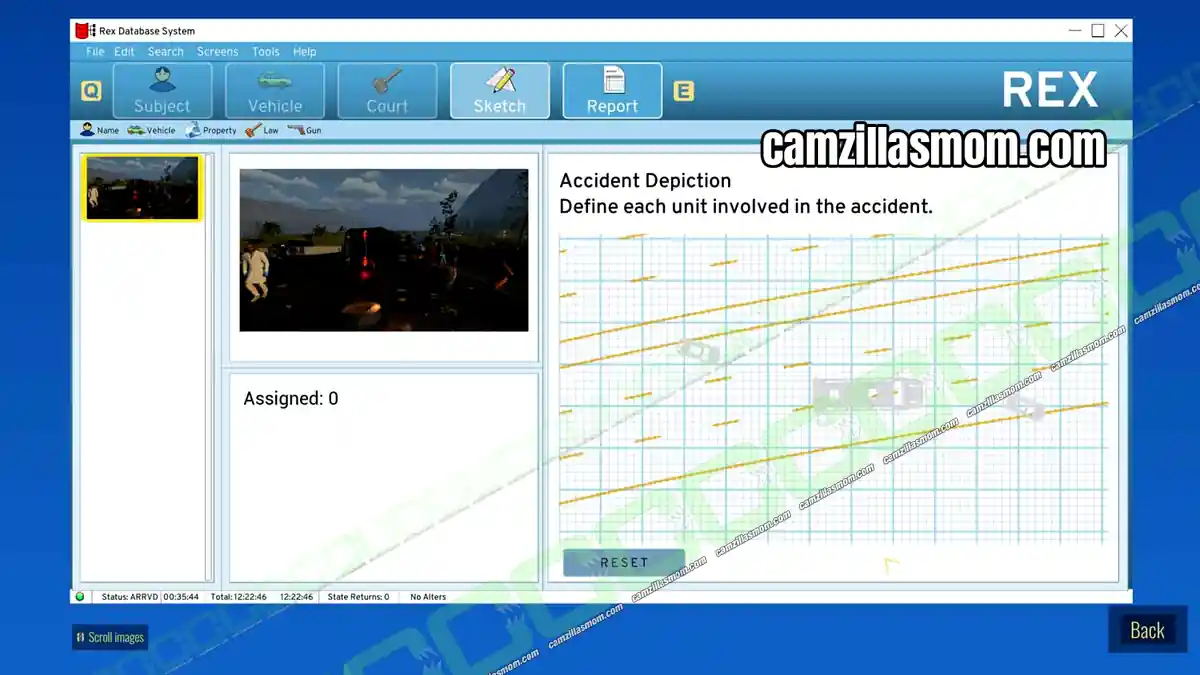
Copy the sketch from the screenshot. If you get stuck, you can exit and come back at any time.
6 – Write the Report
Location: Rex Database System in the police car
Once the sketch is done, switch to the Report tab. Talk to everyone at the crime scene before you start, and check you haven’t missed anyone before you click Send Report. You don’t have to type anything yourself: click Write Report and your officer fills it in for you.
7 – Report to the Chief
Location: Highway Patrol HQ
The police car where you wrote the report, the Grant Patron, is now yours. Get in and drive to Highway Patrol HQ to meet the chief. Follow the white outline on the minimap. When you arrive, HQ unlocks as a Fast Travel point.


About Highway Police Simulator
Release: December 5th, 2024
Developer: Z-Software
Publisher: Aerosoft GmbH
Official Website: https://highwaypolicegame.com/